
UAE e-invoicing requirements checklist for finance teams

UAE e-invoicing is one of those changes that sounds simple until you start preparing your data. Most finance teams think they are ready since invoices already go out digitally. Then the first validation fail happens and everyone realizes the difference between a document and structured invoice data.
This checklist is meant to keep you out of that cycle.
It’s written for finance teams who want clear steps, real priorities, and fewer surprises later.
1) Start with the one rule that changes everything
A PDF is a readable copy. An e-invoice is structured data that systems can read, validate, and process automatically.
So the first requirement is not “make the invoice prettier.”
It’s “make sure your invoice data exists as clean fields inside your system.”
If you want a full plain language breakdown of what counts and what does not, check this page UAE E-invoicing Requirements.
2) List every invoice scenario your business runs
Teams often test one perfect invoice and feel confident. Real life invoices are not perfect.
Make a list that includes:
- standard sales invoices
- service invoices
- discounts and adjustments
- credit notes and corrections
- partial invoices and staged billing
- any “special” VAT scenarios you see often
Then write down where each invoice starts. ERP, billing tool, accounting tool, POS, or a mix.
This becomes your testing plan later, and it stops scope creep.
3) Clean master data before you touch integrations
This is where most e-invoice rejections begin.
Check customer and supplier records for:
- identifiers used in your workflow
- address fields stored as data, not free text
- consistent naming and entity details
- item and service records that support tax tagging
Pick one owner for master data updates. If five people can change identifiers, you’ll keep fixing the same issue again and again.
4) Map invoice fields to PINT AE early
PINT AE is the data dictionary that shapes how invoice fields should be structured. Finance teams don’t need to memorise it, yet they do need a mapping plan.
A simple approach that works:
- pull 10 real invoices from different scenarios
- highlight the fields you always use
- compare that list with what your structured output needs
- mark gaps and assign who fixes each one
If your team needs the PINT AE reference page while doing this mapping, keep this open during the work session: PINT AE Explained
5) Fix VAT and totals logic at the source
Structured validation is strict with math. If totals and tax breakdown logic are inconsistent, the invoice can fail even if the PDF looks fine.
Common patterns that cause trouble:
- rounding differences across systems
- discounts shown in the document but stored differently in fields
- line totals not matching header totals
- VAT breakdown not matching the tax treatment logic
This is why testing should include at least:
- an invoice with a discount
- an invoice with mixed VAT treatment
- a credit note scenario
Keep VAT logic owned internally. Service provider checks help with conformance, yet your business still owns the underlying tax treatment.
6) Lock invoice numbering rules and stop duplicates
Duplicate invoice identifiers are an easy way to create avoidable failures, especially when invoices come from more than one system.
Set one clear policy:
- one numbering series per channel or entity
- no manual edits after issuance
- one owner for numbering rules
Then add a simple check that catches duplicates before transmission.
7) Write a correction rule that your team will actually follow
Corrections get messy when the rule is unclear.
Your internal rule should cover:
- when to issue a credit note
- when a reissue is allowed in your process
- who approves corrections
- where the correction reason is stored
Keep it short. If it needs a meeting to explain it, it won’t stick.
8) Plan your Accredited Service Provider onboarding like a project
Since invoices are sent through the Accredited Service Provider layer, onboarding is not just technical setup. It changes daily finance operations too
Your onboarding plan should include:
- who owns setup and who owns testing
- how validation errors reach finance
- what happens when an invoice fails at 4pm
- what the fix loop is, and who signs off the resend
9) Create a rejection playbook that avoids chaos
The fastest teams treat rejections like a workflow, not a fire drill.
A simple loop:
- capture the error message
- classify it (missing field, identifier, VAT, totals, pricing, credit note)
- fix it at the source (master data, mapping, rule logic)
- retest the same scenario
- log the pattern so it stops repeating
10) Testing should look like real life
Use real invoices and real customer data. A clean demo invoice proves nothing.
Your test set should include:
- a standard invoice
- invoice with discount
- invoice with mixed VAT
- a credit note
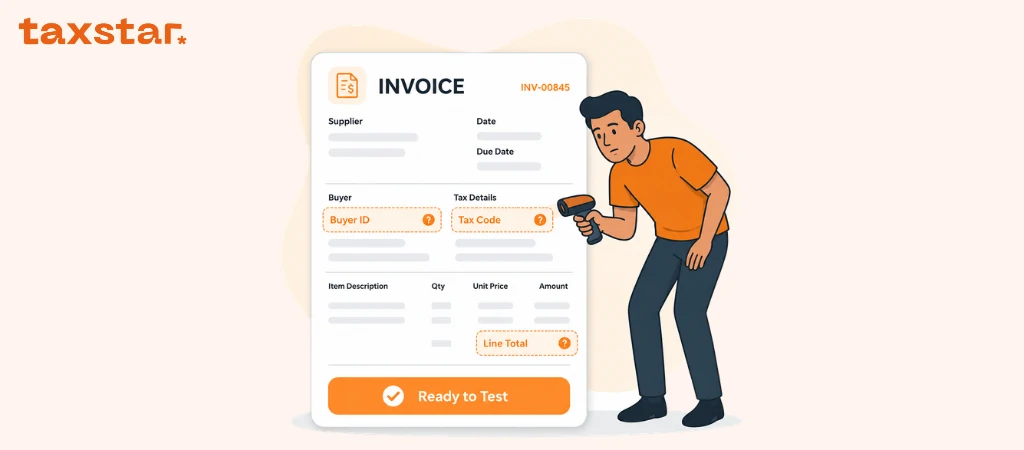
- one invoice with missing buyer data (to prove your controls block it)
- one duplicate numbering test
Store evidence of pass and fail results. It makes go live decisions much easier.
What to do now
If you want a simple sequence that works:
- clean customer and supplier identifiers
- lock invoice numbering rules
- map invoice fields to PINT AE
- plan onboarding and error ownership
- test real invoices and log failures
- train the team on the rejection loop
If you want to make sure your UAE e invoicing setup is actually ready before testing starts, book a demo with Tax Star. We’ll help you spot data gaps early, map the key fields, and build a simple rejection workflow your team can follow.
FAQs
1) Is UAE e-invoicing the same as sending a PDF by email
No. A PDF can be a readable copy, yet e-invoicing relies on structured invoice data that systems can validate and process.
2) What formats should we prepare for
Most setups use structured XML or JSON aligned to PINT AE, based on the integration path you choose.
3) What causes e-invoice rejection most often
Missing required fields, incomplete customer identifiers, totals mismatch, VAT breakdown issues, and inconsistent invoice numbering show up a lot.
4) Do we need an Accredited Service Provider
For exchange and conformance checks, the service provider layer plays a central role, so onboarding planning should start early.
5) What should finance teams do first
Start with master data cleanup and field mapping. It removes the biggest blockers before testing even begins.
6) Can we keep sending PDFs after go live
A PDF may still exist as a readable version, yet the structured message is what matters in the e-invoicing process.
7) How do we stop the same rejection from repeating
Fix the root cause upstream, log the reason, assign ownership, then retest the same scenario so you know it’s resolved.

.webp)
.webp)