
Common e-invoicing errors UAE teams keep repeating and how to stop them
.webp)
A lot of e-invoicing problems do not start at go live.
They start much earlier, in small habits teams have been carrying for years. A field gets typed manually. A VAT treatment gets handled “the usual way.” Testing gets pushed back. The process still works for a PDF world, so nobody feels the gap right away.
Then structured e-invoicing starts checking the data properly.
That is when the same mistakes begin to repeat. Not big dramatic failures. Small, very fixable issues that keep showing up in validation, exchange, reporting, and rework.
This is where most teams lose time. Not in the rules themselves. In repeating the same avoidable errors.
1) Treating the invoice like a document instead of data
This is the root mistake behind many others.
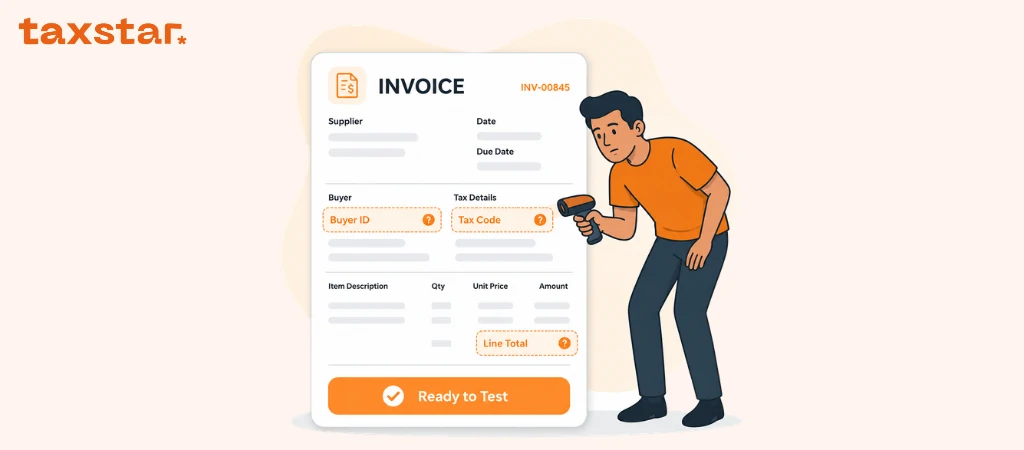
A lot of teams still think in document terms. They look at the invoice layout, see the right numbers, and assume the invoice is ready. Yet e-invoicing is not checking the document the way a person does. It is checking the structured e-invoice data behind it.
That changes everything.
A field that looks “fine” on the PDF may still be stored badly in the system. A note typed manually on the invoice may help a person reading it, yet it does not solve a missing data field. A correction made in the final output may still leave the source data wrong.
The fix is simple, even if the work takes time.
Start reviewing the source fields, not just the invoice design. Check how invoice number, buyer details, seller details, VAT, totals, and line data are stored before the invoice is generated.
2) Missing mandatory fields and weak master data
This is one of the most repeated problems, and it usually shows up early.
The UAE structure expects defined invoice details, seller details, buyer details, totals, tax breakdown, and invoice line data. If those fields are incomplete, inconsistent, or handled through free text, the invoice becomes harder to validate properly.
The weak point is often not the invoice itself. It is the master data behind it.
You see it in things like:
- buyer details stored differently across systems
- missing legal registration details
- incomplete address fields
- tax identifiers not captured cleanly
- item descriptions that are too loose for structured use
This is why teams keep fixing the same issue again and again. They fix one invoice, not the source record that created it.
The better approach is to clean the master data once, assign ownership, and stop the same error at the root.
3) Using the wrong transaction scenario or tax logic
This is where things get more technical, yet still very practical.
Not every invoice follows the same structure. Some transactions need special handling based on the scenario. Free Zone cases, deemed supplies, margin scheme, summary invoices, continuous supply, agent billing, e-commerce, and exports all bring different data needs or logic.
Tax category also matters. A team may know the commercial deal well and still apply the wrong structured logic in the invoice data.
That creates a messy result. The invoice may look reasonable to the business, yet the structured version is carrying the wrong scenario code, the wrong tax treatment, or the wrong reference details.
This is one reason teams should never map only one “sample invoice” and assume the job is done.
They need to map the real scenarios they actually run.
For more details, you can visit Common e-invoice errors and fixes.
4) Totals that look right but do not reconcile properly
This one catches teams off guard.
The invoice total looks fine. The VAT looks fine. The customer would probably pay it without asking any questions.
Then the structured checks expose a mismatch.
This usually comes from one of a few patterns:
- line values and document totals are calculated differently
- VAT logic is handled at one level but not another
- discounts are applied in a way that looks fine visually but does not reconcile cleanly in the structured data
- rounding is handled inconsistently
- AED tax line amounts are not carried correctly where needed
This is exactly why teams need real scenario testing. A clean invoice template hides this problem. Structured validation does not.
The fix is not to “adjust the invoice.”
The fix is to agree one calculation logic across the source system and make sure the same logic flows into the invoice totals and tax breakdown.
5) Waiting too late to test the full process
A lot of teams say they are testing when they are really only previewing.
Real e-invoicing testing is wider than that.
It should cover the full path:
- transmitting invoice data to the ASP
- exchanging the invoice through the system
- receiving confirmation messages
- receiving supplier invoices
- reporting the required tax data
- confirming whether reporting succeeded or failed
When teams wait too long to test this properly, they discover problems at the worst time. Missing fields. Weak integration. Approval bottlenecks. No clear process for handling failed messages.
The most useful fix here is timing.
Do not leave full testing to the edge of go live. Test early enough that the same issue can fail, get fixed, and be tested again without pressure.
6) No clear owner for failed messages and corrections
This is less technical, yet it causes a lot of chaos.
A failed invoice comes back. Then what?
Finance thinks IT should fix it.
IT thinks the ASP should fix it.
The ASP says the source data is wrong.
Operations says the customer record was never theirs.
And suddenly one failed invoice becomes a group exercise.
This problem grows fast if the business has not agreed roles with the ASP before live processing starts. A good setup needs a simple governance model. Not a long document. Just clear ownership.
You need to know:
- who sees errors first
- who fixes source data
- who approves the next step
- who tracks repeated issues
- who handles corrections and credit notes when needed
Without that, the same mistakes keep looping.
7) Forgetting that timing errors are still errors
Some mistakes are not about field content. They are about timing.
If an invoice or electronic credit note is not issued and transmitted within the required timeline, that is a problem. If a system failure happens and the authority is not notified in time, that is a problem too. If registered data changes and the appointed ASP is not updated in time, that creates another avoidable issue.
These errors do not always feel dramatic on day one. Still, they can lead to UAE e-invoicing penalties and bigger compliance pressure later than teams expect.
The best way to stop them is not heroic effort. It is process discipline.
Build the reminders. Decide ownership. Keep the data current. Make sure invoice timing is not left to luck.
What to do now
If your team wants to stop repeating the same errors, use this order:
- review source data, not just invoice layouts
- clean buyer, seller, and item master data early
- map the real transaction scenarios your business uses
- test totals, VAT logic, and line values on real invoices
- run full exchange and reporting tests, not just sample previews
- agree a clear error handling model with your ASP
- assign one owner for repeated issue tracking and root cause fixes
For more details, you can visit UAE e-invoicing hub.
If you want help turning these common e-invoicing errors into a clean workflow your team can follow, contact us now for a free consultation.
FAQs
1) What is the most common e-invoicing error in the UAE?
One of the biggest repeated problems is treating the invoice like a document instead of structured e-invoice data.
2) Why do missing fields keep happening?
Usually because the source master data is incomplete, inconsistent, or handled through manual typing instead of proper fields.
3) Can an invoice still fail even if the PDF looks correct?
Yes. The structured checks look at the invoice data, not just the visual layout.
4) Why do totals and VAT mismatches happen so often?
They usually come from inconsistent calculation logic, rounding issues, discounts, or line level and document level values not matching properly.
5) Is one sample invoice enough for testing?
No. Teams should test real invoice scenarios, including discounts, credit notes, mixed tax treatment, and edge cases.
6) What role does the ASP play in stopping errors?
The ASP supports exchange, validation, confirmation handling, and reporting flow, yet the business still owns source data quality and internal process discipline.
7) What timing mistakes should teams watch for?
Late issue and transmission, late system failure notification, and late updates to registered data are all avoidable process errors that matter.

.webp)
.webp)