
PINT AE mandatory fields: 10 data gaps to check before testing
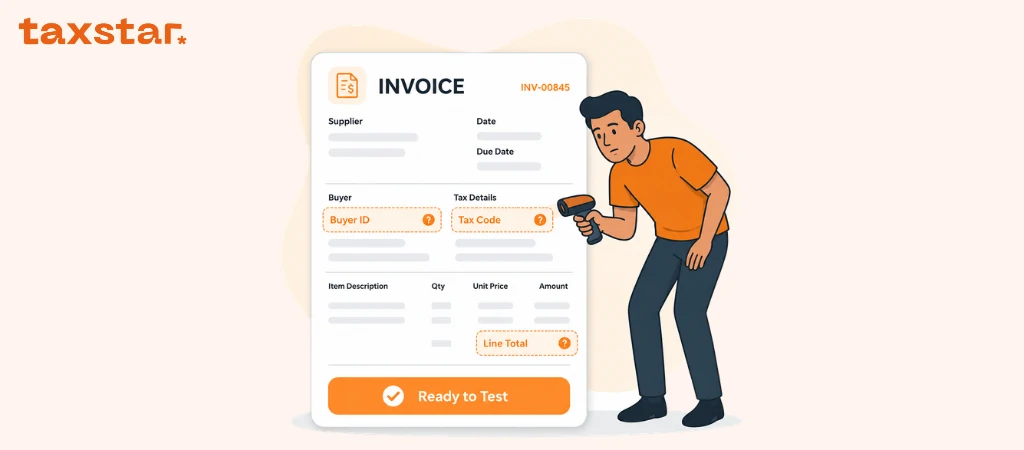
A UAE invoice can look correct on screen and still fail during e-invoice testing.
The problem may sit behind the document. A missing electronic address, the wrong invoice type code, an incomplete tax breakdown, or totals that do not match the invoice lines can stop the structured e-invoice data from passing validation.
PINT AE sets out the UAE data requirements for Electronic Invoices and Electronic Credit Notes. The Ministry of Finance mandatory-fields document lists 51 fields for an electronic Tax Invoice and 49 fields for a commercial Electronic Invoice.
Finance teams do not need to memorise every field. They do need to know where their current invoice data may fall short.
Here are ten areas to check before ASP testing begins.
What are PINT AE mandatory fields?
PINT AE is the UAE version of the Peppol International invoice specification.
It defines how invoice data should be structured and what each data field means. It covers invoice details, seller and buyer information, document totals, tax breakdowns, and invoice lines.
This is different from checking how a PDF looks.
A PDF may display a customer name, address, VAT number, and total. PINT AE requires each value to sit in the correct data field and use the required format or code.
For more details, you can visit PINT AE explained.
1. Invoice type code is missing or incorrect
The invoice type code tells the system what kind of document is being sent.
This is an e-invoicing field. It should not be confused with an internal label such as “sales invoice,” “tax invoice,” or “credit memo.”
Your ERP may use its own document names. Those names need to map to the correct PINT AE invoice type code.
Check:
- standard invoices
- tax invoices
- commercial invoices
- credit notes
- any invoice types created through separate billing systems
A wrong code can send the document through the wrong validation route. It can cause a failure before anyone reviews the invoice content.
2. The transaction type flags do not match the supply
PINT AE includes an invoice transaction type code made up of flags.
The fields cover:
- Free Zone
- deemed supply
- margin scheme
- summary invoice
- continuous supply
- disclosed agent billing
- supply through e-commerce
- exports
Each flag shows whether that transaction type applies.
This field can be easy to miss since many accounting systems do not store these scenarios in one standard place. The information may sit in tax settings, customer records, invoice notes, or a manual spreadsheet.
Your team needs a rule for deciding which flags apply and where the source data will come from.
A standard local sale will not use the same setup as an export, deemed supply, or margin scheme transaction.
3. Seller electronic address and identifier are incomplete
The seller electronic address is part of the electronic routing information.
For an electronic Tax Invoice, the Ministry document states that the seller electronic address is the Tax Identification Number, or TIN. The seller electronic identifier for UAE businesses is the fixed value 0235.
Together, these values form the business endpoint registered by the ASP.
A common data review question is whether the business has the correct TIN available.
The TIN is the first 10 digits of the 15-digit TRN. A person registered for Corporate Tax will already have a TIN through that registration.
Tax Groups need extra care. The business uses the first 10 digits of its own Corporate Tax TRN, not the first 10 digits of the Tax Group representative’s TRN.
4. Buyer electronic data is not available
The buyer section needs more than a name and email address.
PINT AE mandatory fields include the buyer electronic address and buyer electronic identifier. These fields support invoice delivery through the Peppol network.
Many businesses do not currently hold this information in customer master records.
That creates a practical question before testing:
Where will the buyer endpoint data be stored?
It could sit in the ERP customer record, the invoicing platform, or a connected data layer managed during ASP onboarding. The location needs to be agreed before testing starts.
Teams should review customer records early. Waiting until the first exchange test may leave hundreds or thousands of records needing updates.
5. Tax identifiers and tax scheme codes are mixed up
Seller and buyer tax identifiers need to sit in the correct fields.
For UAE sellers and buyers registered for tax, the Tax Registration Number is used in the tax identifier field. The tax scheme code uses the default value VAT.
The TIN and TRN are linked, but they are not the same field.
This is where system mapping can go wrong. One field may contain the full 15-digit TRN. Another needs the 10-digit TIN. The electronic endpoint uses its own structure.
Review:
- seller TRN
- seller TIN
- buyer TRN
- seller and buyer tax scheme codes
- Peppol endpoint data
Do not use one generic “tax number” field for every purpose without checking the mapping.
6. Addresses are stored as one block of text
Many invoice systems store an address in one open text box.
PINT AE separates addresses into fields such as:
- address line 1
- city
- country subdivision
- country code
For a UAE seller, the country code should be AE.
A printed invoice can display an address correctly from one text block. Structured e-invoice data needs each part in the right place.
Check customer and supplier records for missing cities, emirates, and country codes. Look for abbreviations that may not map cleanly.
This work can take time for businesses with old customer records or data copied from several systems.
7. Document totals do not reconcile
The mandatory document totals include:
- sum of invoice line net amounts
- invoice total amount without tax
- invoice total tax amount
- invoice total amount with tax
- amount due for payment
These values are connected.
The sum of the line net amounts should support the total before tax. The tax breakdown should support the total tax amount. The amount due needs to account for any paid amount, charges, allowances, or rounding that apply.
Problems often appear when different systems calculate different parts of the invoice.
For example, the billing platform may calculate line amounts, then the ERP calculates the final tax total. Small rounding differences can appear once the structured data is checked.
Test invoices with several lines, discounts, charges, or partial payments. One basic invoice may pass and hide a calculation problem.
8. Tax breakdown does not match invoice lines
PINT AE requires a tax breakdown for each relevant tax category and rate.
The mandatory fields include:
- tax category taxable amount
- tax category tax amount
- tax category code
- tax category rate
Invoice lines need their own tax category code and tax rate too.
The document-level tax breakdown should match what appears across the invoice lines.
This needs attention for invoices with more than one VAT treatment. One invoice may contain standard-rated and zero-rated items, or another permitted mix.
The system needs to group and calculate each category correctly.
Margin scheme transactions have their own treatment. The UAE Guidelines state that the VAT amount displayed for a margin scheme transaction should be 0.
9. Quantity, unit, and price fields are unclear
Each invoice line needs structured information.
The mandatory line fields include:
- invoice line identifier
- invoiced quantity
- unit of measure code
- invoice line net amount
- item net price
- item gross price
- item price base quantity
These fields can expose gaps in service invoices.
A goods invoice may already contain quantity and unit data. A service invoice might show one description and one total, with no clear unit of measure or base quantity in the source system.
The item net price is the price after an item-level discount. The item gross price is the price before that discount. The price base quantity shows how many units the price applies to.
Check how your system handles hourly work, monthly retainers, project fees, subscriptions, and milestone invoices.
10. AED line amounts are missing
An electronic Tax Invoice includes two mandatory AED fields at invoice-line level:
- VAT line amount in AED
- invoice line amount in AED
This needs close review for foreign currency invoices.
The invoice currency code records the document currency. The required AED amounts still need to be present in their own fields.
A system that produces a correct USD, EUR, or GBP invoice may not currently calculate and store the related AED values at line level.
Check where the exchange rate comes from, when it is applied, and how the AED amounts are passed to the ASP.
This should be tested using real foreign currency scenarios, not a manually prepared sample.
Item name and description need separate fields
PINT AE lists both item name and item description.
Some systems use one description field for everything. Others store a product or service name separately from the longer invoice text.
Check that the item name can be sent as its own value.
The description should give more detail about the goods or services. It should not be used to hide data that belongs in another structured field.
This is a smaller mapping point, yet it can affect every invoice line if the source setup is weak.
How to review your UAE e-invoice mandatory fields
Start with a sample set of real invoices.
Pick invoices from different systems, business units, currencies, and transaction types. Include credit notes and less common cases.
For each sample:
- Identify where every mandatory field comes from.
- Check whether the value is already structured or held in free text.
- Confirm which team owns the source field.
- Review the code and format used.
- Check calculations across lines, tax breakdowns, and totals.
- Send the sample through the agreed test process with your ASP.
- Record any field that fails or needs manual work.
The result should show where data cleanup or system mapping is needed.
What to do now
Finance and ERP teams can start with five actions:
- Download the PINT AE mandatory-fields list used for your invoice type.
- Map each field to the ERP, billing tool, or master data record that supplies it.
- Flag missing electronic addresses, identifiers, codes, and structured address fields.
- Reconcile invoice lines, tax breakdowns, and document totals.
- Test standard invoices, credit notes, foreign currency invoices, and special transaction types with the ASP.
For more details, you can visit UAE e-invoicing hub.
If you want help checking your PINT AE mandatory fields and preparing invoice data for ASP testing, contact Tax Star now for a free consultation.
FAQs
What are PINT AE mandatory fields?
They are the invoice data fields required under the UAE’s PINT AE specification. They cover invoice details, seller and buyer data, document totals, tax breakdowns, and invoice lines.
How many mandatory fields are listed for a UAE electronic Tax Invoice?
The Ministry of Finance mandatory-fields document lists 51 fields for an electronic Tax Invoice.
Are the fields the same for commercial Electronic Invoices?
No. The document lists 49 mandatory fields for a commercial Electronic Invoice. Some tax-related and AED line fields differ from the electronic Tax Invoice list.
Is a TRN the same as a TIN?
No. The TIN is a 10-digit identifier taken from the first 10 digits of the 15-digit TRN.
Why does the buyer electronic address matter?
It helps identify where the structured e-invoice should be delivered through the electronic exchange network.
Can a PDF invoice pass PINT AE validation?
The PDF itself is not the structured e-invoice. The data behind the invoice needs to follow PINT AE fields, formats, and codes.
What should businesses test first?
Start with standard invoices, credit notes, mixed tax treatments, discounts, foreign currency invoices, and any transaction types used by the business.
Who should review PINT AE invoice requirements?
Finance, tax, ERP or systems owners, master data teams, and the appointed Accredited Service Provider should take part in the review.

.webp)
.webp)
.webp)