
UAE e-invoice rejection: the fastest fix workflow your team can follow
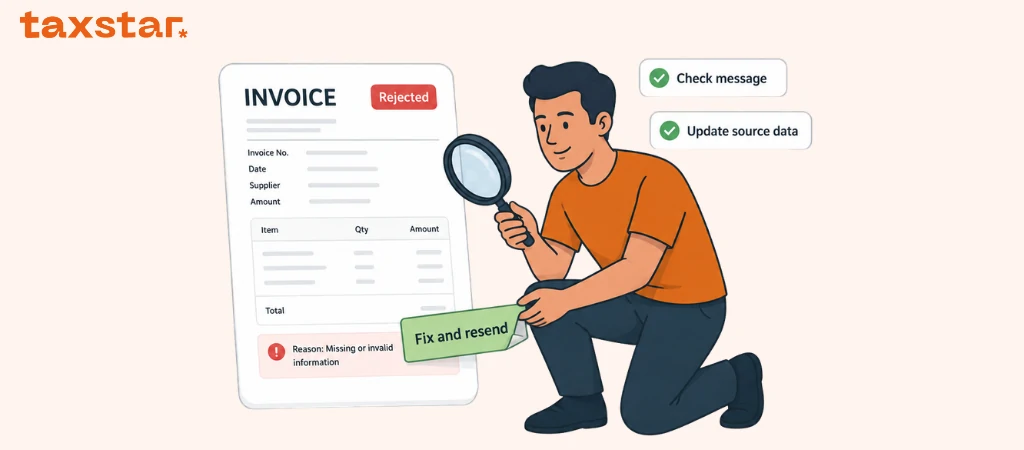
An e-invoice rejection can slow the whole day down.
The invoice is ready. The team thinks it has moved. Then a failure message comes back, and everyone starts asking the same questions. What failed? Who fixes it? Do we resend it? Was the issue in our system or somewhere in the exchange flow?
The real problem is not the first rejection. It is losing time when no one knows the next step.
That confusion creates delays, repeat work, and too many messages flying between finance, systems, and the ASP. A faster route is to follow one simple workflow every time: read the message, identify the failed stage, fix the source issue, retest the same case, then move forward with a clear record of what happened.
Start by checking what actually failed
Not every failed e-invoice sits in the same place.
Your team first needs to see whether the issue appeared during:
- invoice data validation
- exchange confirmation
- tax data reporting confirmation
This distinction matters.
In the UAE e-invoicing flow, invoice data moves through the ASP layer and confirmation messages come back during the process. A problem at one stage does not always mean the whole process failed in the same way.
So the first move is not:
“Resend it now.”
The first move is:
“Which message shows the failure?”
If the team cannot answer that, the fix starts from guesswork.
For more details, you can visit UAE e-invoice validation errors.
The fastest rejection workflow in six steps
A calm, repeatable process saves time. Here is a practical workflow finance teams can use.
Step 1: Save the failure message and invoice reference
Before anyone edits anything, keep the rejection message and the invoice reference together.
Capture:
- invoice number
- issue date
- buyer name
- message received
- time of failure
- the system or user who spotted it
This sounds basic, yet it stops messy back and forth later. If the team loses the original message, the fix becomes slower.
Step 2: Sort the failure into the right bucket
Once the message is saved, place it into a simple internal category.
You do not need a heavy classification system. A few buckets are enough:
- missing or incomplete data
- wrong code or scenario logic
- totals or VAT mismatch
- exchange issue
- reporting confirmation issue
This helps the right person pick it up faster.
Finance can handle some issues.
Systems teams may need to check others.
The ASP may need to confirm where the message was triggered.
The goal is speed, not theory.
Step 3: Check the source data before editing the invoice
This is where teams save the most time.
If the rejection came from missing fields, buyer details, totals, VAT logic, or invoice type data, check the source record first.
Do not patch only the visible output.
Look at:
- the customer or supplier master data
- the invoice fields in the ERP or billing tool
- the tax category used
- the transaction type flag
- the totals and tax breakdown
- the credit note reference, where relevant
If the problem started in the source system, fixing one invoice without fixing the source record means the same rejection can return.
Quick rejection rule
Read the message. Fix the source. Retest the scenario. Resend only once the issue is clear.
That is the whole rhythm.
The fix should happen where the problem started
This is the main point teams need to hold onto.
A rejection is often a symptom. The root issue may sit earlier in the process.
For example:
- a missing buyer identifier may come from customer master data
- a totals mismatch may come from calculation logic
- the wrong invoice type code may come from the selected transaction setup
- a failed follow-up step may come from an unclear error handling process
So the team should ask one question:
Where did this issue first enter the workflow?
Once you know that, the fix becomes much cleaner.
Step 4: Correct, then retest the same scenario
After the root issue is fixed, retest the same invoice scenario.
Do not move straight to the next invoice and hope the problem is gone.
Retest the same kind of case so you can see that the correction worked. If the rejection came from a credit note setup, test that credit note path again. If it came from a buyer data issue, test the updated buyer record again.
This step matters since UAE e-invoicing prep includes testing the end to end exchange and reporting process. A fix is not complete until the same issue passes cleanly.
Step 5: Resend only after the fix is confirmed
Once the corrected case passes review, move it through the agreed ASP process again.
At this point, the team should know:
- what was rejected
- why it happened
- what was changed
- who approved the next step
That keeps the workflow controlled. It avoids a pattern where people keep trying again without knowing what changed.
Step 6: Log the reason so it stops repeating
This is what turns a one time fix into a stronger process.
Keep a simple rejection log with:
- rejection type
- root cause
- system or data field affected
- owner
- date fixed
- repeat or first time issue
Over time, this gives your team a useful view of where the same issues keep showing up.
Maybe one buyer record keeps failing.
Maybe one VAT scenario was mapped poorly.
Maybe one credit note path needs clearer internal steps.
A short rejection log can show that quickly.
Who should own the fix?
One of the fastest ways to lose time is unclear ownership.
Before go live, your business and ASP should agree roles for transmission oversight and error resolution. That gives you a clear path once rejections show up.
A simple ownership model can look like this:
- Finance: checks invoice content, VAT logic, document type, and business scenario
- Systems or ERP owner: checks source fields, mapping, and system rules
- ASP contact: confirms the validation or reporting status and helps trace the failed stage
- Approver: signs off the next step when the issue affects a business control
You do not need a long policy. You need a working one.
What usually slows rejection handling down
A few habits make rejections harder than they need to be.
Fixing the PDF instead of the data
The PDF is not the structured e-invoice record. If the source data stays wrong, the issue can come back.
Resending before the cause is clear
This creates more confusion and makes the team less sure about what actually solved the issue.
Treating every failure as an IT issue
Some errors are data issues. Some are tax logic issues. Some are workflow issues.
Not saving the confirmation message
That removes the most useful clue the team has.
Not retesting the same case
The business assumes the issue is fixed without proving it.
What to do now
If your team wants a clean UAE e-invoice rejection process, use this order:
- Save the failure message and invoice reference.
- Identify whether the issue sits in validation, exchange, or reporting confirmation.
- Sort it into a simple internal category.
- Check the source data or source rule before editing anything.
- Fix the root cause.
- Retest the same invoice scenario.
- Move it through the agreed ASP process again once the issue is clear.
- Log the issue and owner so repeat errors are easier to stop.
For more details, you can visit UAE e-invoicing hub.
If you want help turning UAE e-invoice rejections into a clean fix workflow your team can follow, contact Tax Star now for a free consultation.
FAQs
1) What does a UAE e-invoice rejection usually mean?
It means part of the invoice data, validation flow, exchange step, or reporting confirmation did not pass as expected.
2) Should we resend a rejected e-invoice right away?
Not before checking the failure message and fixing the cause. Moving too quickly can repeat the same issue.
3) What is the first thing a team should do after rejection?
Save the failure message with the invoice reference, then identify the stage where the issue appeared.
4) Who should fix e-invoice rejection issues?
It depends on the cause. Finance, systems teams, and the ASP may each have a role. The ownership path should be agreed before go live.
5) What is the fastest way to stop repeat rejections?
Fix the source data or rule that caused the failure, retest the same scenario, then log the root cause.
6) Can a rejected e-invoice be caused by source data?
Yes. Missing buyer details, totals issues, tax logic gaps, and wrong transaction setup can all start in the source data.
7) Why should we track rejection reasons?
A simple rejection log helps teams spot patterns, fix recurring issues, and reduce repeat manual work.

.webp)
.webp)
.webp)