
UAE E-Invoicing for Free Zone Companies: What Changes?

Free Zone companies often work under different tax, customs, and licensing arrangements. So, it is fair to ask whether UAE e-invoicing applies to them in the same way as other UAE businesses.
A Free Zone licence does not, by itself, take a company outside UAE e-invoicing.
A Free Zone business carrying out transactions covered by the UAE system may need to send and receive structured e-invoices through its appointed service provider. This can apply whether the company is VAT registered or not.
The part that needs close attention is the invoice data.
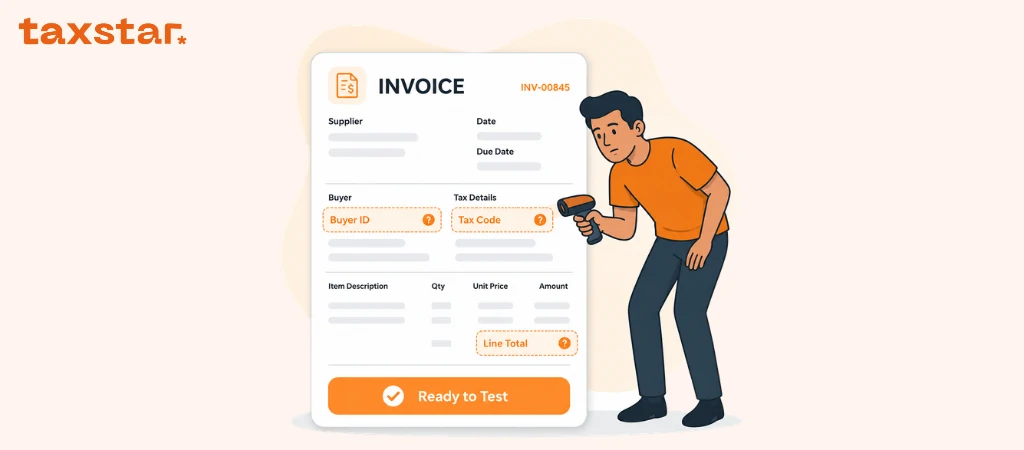
PINT-AE includes a Free Trade Zone flag within the invoice transaction type code. Where the customer is a Free Zone entity, the e-invoice requires beneficiary details alongside the customer information.
That can affect your ERP setup, customer records, field mapping, and testing.
Here is what Free Zone finance teams need to know.
Are Free Zone companies in scope for UAE e-invoicing?
The UAE e-invoicing rules apply to people and legal entities conducting business in the UAE for their business transactions, apart from the stated exclusions.
There is no broad exclusion for companies based in a Free Zone.
A Free Zone company may need to send or receive e-invoices for transactions such as:
- sales to another UAE business
- purchases from another UAE business
- transactions with government entities
- supplies to or from another Free Zone business
- goods supplied within a Free Zone
- exports made from a Free Zone
Business-to-consumer transactions are outside the current e-invoicing scope. A Free Zone company selling to businesses and consumers may need to separate those invoice flows clearly.
VAT registration does not decide whether the e-invoicing rules apply. A business that is not registered for VAT can still carry out business transactions that fall within the UAE e-invoicing scope.
The starting question is:
Is this a business transaction covered by the UAE e-invoicing rules?
The company’s Free Zone location comes after that.
Your deadline is based on the rollout phase
Free Zone companies follow the same phased rollout used for other businesses in scope.
For businesses in the first mandatory phase, the ASP appointment deadline is 30 October 2026, and mandatory implementation starts on 1 January 2027.
For businesses with annual revenue below AED 50 million, the ASP appointment deadline is 31 March 2027, and mandatory implementation starts on 1 July 2027.
Being based in a Free Zone does not create a separate implementation date.
A company should check its rollout phase, transaction types, legal entities, and systems. That gives the team a clearer view of what needs to be ready and by when.Missing the ASP appointment or go-live date can lead to UAE e-invoicing penalties, so it is worth knowing what is at stake before the deadline arrives.”
What makes a Free Zone e-invoice different?
PINT-AE includes an invoice transaction type code made up of several flags.
One of those is the Free Trade Zone flag.
The wider Free Zone scenario can apply where:
- the supplier is a Free Zone entity
- the buyer is a Free Zone entity
- the beneficiary is a Free Zone entity
- the supply takes place within a Free Zone
- the supply is made from a Free Zone
- goods are exported from a Free Zone
This means the accounting or billing system needs enough information to identify the scenario correctly.
The finance team should know when the Free Trade Zone flag applies. The ASP then maps the transaction into the correct PINT-AE structure.
The Free Trade Zone flag does not replace the VAT category or rate. Those fields must still reflect the VAT treatment that applies to the supply.
For more details, visit our PINT-AE guide.
Who is the customer, and who is the beneficiary?
This is the part many Free Zone businesses should review closely.
The customer is usually the person or company that placed the order or signed the contract.
The beneficiary is the person or company that uses, consumes, or owns what is being supplied.
Where the customer is a Free Zone entity, the e-invoice requires beneficiary details.
In many standard transactions, the customer and beneficiary are the same legal entity.
For example, a Free Zone company orders consulting services for its own business. It signs the agreement, receives the service, and pays the invoice.
In that case:
- the customer is the Free Zone company
- the beneficiary is the same Free Zone company
The Beneficiary Name and Beneficiary ID can mirror the customer information.
Now take a different case.
A Free Zone parent company signs a contract for services that will be delivered to another legal entity within the group.
In that case:
- the customer is the Free Zone parent company
- the other group company may be the beneficiary
The beneficiary details should reflect the party that uses, consumes, or owns what is being supplied.
This is more than an extra field on the invoice.
Your systems need a suitable place to store the beneficiary name and identifier. Your finance team needs a clear method for deciding when the customer and beneficiary are the same and when they differ.
Which Free Zone invoice data should you check?
Start with a sample of invoices sent to and received from Free Zone companies.
Look at four areas.
Seller information
Check the legal entity issuing the invoice.
Pay close attention to:
- legal business name
- trade licence number
- trade licence type
- licence-issuing authority
- TRN, where applicable
- TIN and electronic address
- registered address
- city and Emirate
- country code
Free Zone groups often have similar company names across several legal entities. The e-invoice needs to identify the correct seller.
A missing word in a company name may look minor to a person. For structured data, it may point to a different legal entity.
Customer information
Check the party that placed the order or entered into the agreement.
Common gaps include:
- shortened company names
- branch names used instead of the legal entity
- missing electronic address
- TRN saved in a note
- incomplete address
- one customer record shared by several group companies
Separate records for each legal customer can help prevent the wrong entity details from appearing on the e-invoice.
This does not mean every business needs to rebuild its customer database in the same way. The goal is to make sure the correct legal buyer details can be selected and passed into the e-invoice.
Beneficiary information
Where the customer is a Free Zone entity, check whether your ERP or accounting system can store:
- Beneficiary Name
- Beneficiary ID
- the relationship between the customer and beneficiary
Where the customer and beneficiary are the same, the details can be repeated.
Where they differ, the correct beneficiary should be recorded.
Many businesses may find that this information currently sits in a contract, email, purchase order, or delivery note rather than the invoice system.
That gap needs to be found before testing starts.
Transaction and tax information
Check whether the system can identify:
- the Free Trade Zone flag
- tax category
- VAT rate
- invoice currency
- invoice totals
- item descriptions
- quantity and unit of measure
- export details, where relevant
Do not use “Free Zone” as a tax category.
It is a transaction scenario. The VAT category and rate remain separate data points.
Does Free Zone status change the VAT treatment?
The Free Trade Zone flag does not replace the VAT category or rate.
Those fields must still reflect the VAT treatment that applies to the supply.
This means the e-invoice needs to record two separate points:
- the Free Zone transaction scenario
- the VAT category and rate linked to the supply
Mixing those two ideas can lead to poor mapping.
For example, an export from a Free Zone may need the Free Trade Zone flag and the export flag. Its VAT category still needs to be recorded separately.
Your finance and tax teams should agree the treatment before the mapping is built.
How does a Free Zone e-invoice move through the UAE system?
The process follows the same five-corner model used for other transactions.
The supplier creates the invoice data in its ERP, accounting platform, or billing system.
That data goes to the supplier’s ASP. The ASP validates the record and converts it to the UAE XML format where needed.
The structured e-invoice then moves to the buyer’s ASP. The supplier’s ASP reports the required tax data to the FTA in parallel, and the buyer’s ASP reports after successfully validating the e-invoice.
The buyer receives the e-invoice through its service provider.
For a Free Zone transaction, the source system needs to identify the Free Zone scenario. Where the customer is a Free Zone entity, it must provide the required beneficiary information.
The ASP can map and exchange the record. The business remains responsible for the accuracy of its invoice data.
So, the technology can move the invoice. It still needs the right information at the start.
What should Free Zone companies test?
Do not test one standard invoice and assume the setup is ready.
Use cases that match the transactions your business handles.
A useful test set may include:
- a Free Zone supplier invoicing a mainland UAE company
- a mainland company invoicing a Free Zone customer
- two Free Zone companies trading with each other
- a Free Zone customer and beneficiary that are the same
- a Free Zone customer and beneficiary that are different
- an export of goods from a Free Zone
- a Free Zone customer invoice with missing beneficiary details
- an e-credit note linked to a Free Zone invoice
- a foreign-currency invoice
- an invoice using more than one transaction flag
Check what happens when information is missing.
The finance team should be able to see which field caused the issue, correct the source record, and send the invoice again.
A perfect test sample may prove that the connection works.
A failed sample shows whether the team knows how to fix the problem.
That is far more useful for day-to-day finance work.
What should Free Zone businesses do now?
Start by mapping your real invoice flows.
Ask:
- Which legal entities issue invoices?
- Which systems create those invoices?
- Which customers are based in Free Zones?
- Does one customer record cover more than one legal entity?
- Is the customer always the final user?
- Where will beneficiary details be stored?
- How will the Free Trade Zone flag be selected?
- Who decides the VAT treatment?
- Which exports need separate testing?
- Who owns the data clean-up?
Then review recent invoices.
Look for missing legal names, old licence data, incomplete addresses, unclear customer records, and beneficiary details stored only in emails or contracts.
Do not wait for the integration project to find every problem.
Cleaning the source data first gives the team a much better starting point.
For more details, visit the UAE e-invoicing hub.
Need help preparing Free Zone invoices for UAE e-invoicing? Speak to Tax Star about your ERP data, PINT-AE mapping, beneficiary fields, testing, and go-live plan. Book a free demo.
FAQs
Are UAE Free Zone companies required to use e-invoicing?
A Free Zone company can be within scope when it carries out business transactions covered by the UAE e-invoicing rules. Free Zone status by itself is not an exclusion.
Does a Free Zone company need e-invoicing if it is not VAT registered?
It can. UAE e-invoicing can apply regardless of VAT registration status. The company should review its business transactions and the published exclusions.
Are B2C sales by Free Zone companies in scope?
Business-to-consumer transactions are outside the current UAE e-invoicing scope. B2B and transactions involving government entities can fall within scope.
When are beneficiary details required on a Free Zone e-invoice?
Beneficiary details are required where the customer is a Free Zone entity.
What is a beneficiary on a Free Zone e-invoice?
The beneficiary is the person or entity that uses, consumes, or owns what is being supplied. It may be the same as the customer or a different legal entity.
What happens when the customer and beneficiary are the same?
The Beneficiary Name and Beneficiary ID can mirror the customer information.
Does the Free Trade Zone flag decide the VAT rate?
No. The Free Trade Zone flag identifies the transaction scenario. The VAT category and rate are recorded separately.
Are exports from a Free Zone covered?
An export of goods from a Free Zone is listed as an example of the Free Zone scenario. The e-invoice may need the relevant transaction flags and the VAT treatment that applies to the supply.

.webp)
.webp)