
UAE E-Invoicing Use Cases In Tax
What this is all about
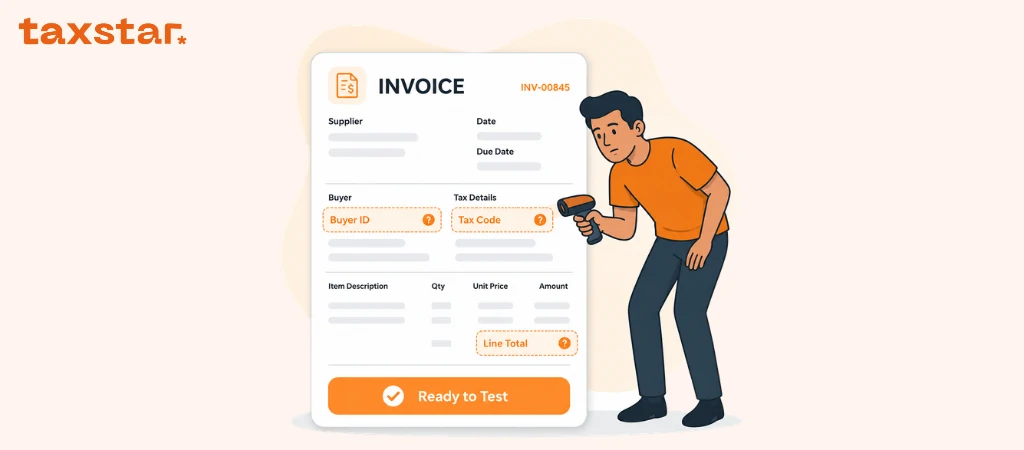
The UAE government now requires businesses to send their invoices electronically, in one standard shape, so the tax authority and the customer's own system can read them automatically.
Invoices travel over PEPPOL, a secure, government-approved network used across the UAE (and internationally) for exchanging business documents. Think of it as registered post for invoices: instead of emailing a PDF that anyone could intercept or alter, your invoice leaves your accounting software, moves through an encrypted, access-controlled channel on the PEPPOL network, and arrives directly in your customer's accounting software — verified, unaltered, and traceable end-to-end.
What the Tax Star e-invoicing platform does
Our platform sits in the middle. It:
1. reads the invoice out of your accounting software,
2. rewrites it into the shape the government requires,
3. checks it against the government's rules, and
4. sends it to your customer.
You keep working in your accounting software exactly as you do today. You do not log in to our platform to type invoices.
The six accounting systems we support
Why this guide is shaped the way it is
There are 16 kinds of invoice. The rules for each one — what it means, and what the government demands — are identical no matter which accounting software you use.
What changes from one accounting software to another is only which box you type it into.
So every section below is written once, and then has a table showing the box to use in each of the six systems. Find your accounting software in the table. Ignore the other five rows.
The one thing to understand before you read on
Every invoice has to tell the government what type of sale it is. There are only two ways it can do that.
Method 1 — the tax code on the line
For some kinds of invoice, the tax code you pick on the invoice line says everything. Pick the right tax code and you are done. Nothing else to fill in.
This covers: normal 5% sales, 0% sales, reverse charge, margin scheme, exempt, and out of scope.
Method 2 — an 8-digit code you type into a reference box
Other invoices are ordinary 5% sales that just happen to be special in some way — a gift, a whole month's deliveries on one invoice, an export. A tax code cannot say that. So instead you type an 8-digit code into a reference box on the invoice.
The Staging screen
Some invoices need information that some ERP simply does not hold — a date range, a delivery address, a partner's tax number. When that happens our platform parks the invoice in Staged Invoices and asks you for exactly those missing pieces. You fill them in through our portal, press validate, and it sends — with those fields injected directly into the invoice from your entry. If your customer wants to track this information on their end, it will show up in the remarks or notes fields of their own accounting software.
It only ever asks for what that particular invoice needs. A gift invoice is never asked for a delivery address.
Read the label above each box before you type in it.
The Staging screen lists the boxes in alphabetical order, which is not the order you would expect them in. Typing a post code into the box labelled "country code" produces an invoice the network throws back.
The 16 types of invoice
Words you will see, in plain English
1. Standard Tax Invoice
An ordinary sale with 5% VAT. This is the plain, everyday invoice. Every other kind in this guide is this one with something added.
Example. You sell AED 1,000 of goods. You add 5% VAT, which is AED 50. The invoice total is AED 1,050. Your customer pays AED 1,050. You hand AED 50 to the tax authority.
When you use it
• Normal sales to another business or to a government body.
• Any sale where nothing special applies.
What has to be on it
All of this comes straight from the invoice you typed in your accounting software. You do not type anything into our platform.
What our platform does
Nothing needs switching on. When you raise a normal 5% invoice, our platform:
• marks every line as the normal 5% rate;
• copies over both tax numbers, every line, and every total;
• checks the VAT adds up before sending — the tax authority throws back invoices where the lines
and the total disagree;
• sends it to your customer.
How to check it worked
Look at the sent invoice. It should show:
• your TRN and your customer's TRN;
• each line with the letter S, 5%, and its VAT amount;
• totals that add up;
• document type 380, and a successful send.
Questions people ask
Do I have to do anything different for a normal invoice?
No. Raise it exactly as you always have.
Will this change my invoice numbers or amounts?
No. Our platform reads your invoice as you wrote it. The numbers stay yours.
What if the VAT does not add up?
The tax authority rejects invoices where the lines and totals disagree. We check this before sending, so you find out straight away instead of days later.
Is there a deadline to send it?
UAE rules say a tax invoice must be issued within a set time of the sale, usually 14 days. That is your responsibility. Our platform controls what is on the invoice, not when you raise it.
2. Reverse Charge
The same invoice as a normal sale, with one change: your customer reports the VAT to the tax authority instead of you.
What it looks like on the invoice
If you remember one thing from this page: reverse charge means the line shows the letter AE and zero VAT. That letter is the only thing that makes it reverse charge.
What reverse charge actually is
Normally you add 5% VAT, your customer pays it to you, and you hand it to the tax authority.
Reverse charge flips that. You send the invoice with no VAT on it, and your customer reports the VAT themselves.
It exists for situations where it is simply easier — or harder to cheat — if the buyer handles the VAT. The two common ones:
Reverse charge does not change the price, and it does not cost you anything. It only changes who tells the tax authority about the VAT.
What happens on your customer's side
Your customer writes the VAT into their own tax return twice — once as VAT they owe, and once as
VAT they are claiming back. For a normal business the two cancel each other out, so nobody actually pays anything extra. It is just recorded properly on both sides.
Worked example. You sell AED 1,000 of electronic devices under reverse charge. Your invoice says: goods AED 1,000, VAT 0, total AED 1,000. You collect no VAT. Your customer writes down AED 50 owed and AED 50 claimed back. Net effect: zero, and fully reported.
How it differs from a normal invoice
The type of goods
A reverse-charge line has to say what kind of goods or services it is. You must pick one of these five. Nothing else is accepted:
The line also needs the item's own product code from your accounting software. This is why you must pick a real saved product on the line, rather than just typing a description.
What our platform does
There is no special button. You put a 0% reverse-charge tax code on the line. That tax code was linked once, in the setup, to reverse charge. From then on our platform:
• marks the line AE;
• keeps the VAT at 0, because your customer will report it;
• adds the type of goods;
• adds the item's product code.
Everything else — names, addresses, totals, descriptions — is copied over untouched.
How to check it worked
The sent invoice should show, on the line and in the VAT summary:
• the letter AE;
• a VAT rate showing, and a VAT amount of 0;
• the type of goods;
• the item's product code.
If it goes wrong
The line came out as Z (zero-rated) with zero VAT.
This is the usual one. The 0% code on the line is not the one linked to reverse charge, so the invoice went out as a plain 0% sale.
Fix: use the exact 0% code named in your Tax Category Mapping, then send again. In Xero: Xero does not show a tax rate's internal code anywhere on screen. Read it off the sent invoice, put that value into the setup, and send again.
The line came out as S with VAT on it.
A 5% line was used instead of the 0% reverse-charge code.
Fix: change the line to the 0% reverse-charge code.
It will not send, and asks for a type of goods.
The item has no type of goods recorded.
Fix: set one from the list of five above.
Questions people ask
Do I lose the VAT?
No. The price is exactly the same. Your customer reports the VAT instead of you.
Is this a different kind of document?
No. It is an ordinary tax invoice. The letter AE on the line is the only thing that makes it reverse charge.
Should the line show 0% or 5%?
With the recommended 0% code it shows 0%, and the VAT is 0. The rules only require that a rate
is showing — they do not say what it must be. Either way the VAT amount is always 0, and that is the part that matters.
What if the tax code is wrong?
The invoice goes out as an ordinary sale, usually zero-rated, instead of reverse charge. Always check the line's tax code and its link in the setup first.
Do both businesses have to be in the UAE?
No, and location is not what decides it. It is the kind of sale that decides. Most commonly it is services and goods coming from outside the UAE, plus the specific goods the law names.
3. Zero Rated
The same invoice as a normal sale, with the VAT rate at 0% instead of 5%.
What it looks like on the invoice
The letter Z is the whole thing. No reason, no extra boxes.
What zero rated actually is
It is still a taxable sale — it is just taxed at 0%. Your customer pays no VAT, but the sale still counts as a taxable sale and still gets reported.
Common UAE examples:
• exporting goods and services outside the GCC states;
• international transport of goods and people;
• certain things the law names specifically — some healthcare, some education, and the first sale of a new home.
How it works
You put a 0% rate on the line. Nothing is added to the total and you collect no VAT.
Because it is still a taxable sale, just at 0%, you can still claim back the VAT you paid on your own costs. That is the important practical difference from an exempt sale, where you generally cannot.
Worked example. A AED 1,000 zero-rated sale: goods AED 1,000, VAT 0, total AED 1,000, line marked Z.
How it differs from a normal invoice
What our platform does
Zero rated is what a 0% line becomes by default. Put any 0% VAT rate on the line and our platform marks it Z. There is nothing to switch on.
Why: three kinds of invoice all use a 0% rate — zero rated, reverse charge, and margin scheme. A plain 0% line becomes zero rated. It only becomes reverse charge or margin scheme if its tax code has been specifically linked to one of those in the setup. So zero rated needs no setup. The other two do.
How to check it worked
The sent invoice should show the letter Z, a rate of 0%, and VAT of 0.
If it goes wrong
The line came out as S with VAT on it.
A 5% line was used. Fix: set the line to a 0% rate.
The line came out as AE or N.
That particular 0% tax code is linked to reverse charge or margin scheme in the setup. Fix: for a genuine zero-rated sale, use a 0% code that is not linked to either — or remove that link.
Questions people ask
What is the difference between zero rated and exempt?
Both show zero VAT, but they are not the same. Zero rated is a taxable sale at 0% — you can still claim back VAT on your own costs. Exempt is outside VAT altogether — you generally cannot claim it back, and an exempt line has to say why it is exempt. A zero-rated line needs no reason.
What is the difference between zero rated and reverse charge?
Both show zero VAT. Zero rated means the sale itself is taxed at 0%. Reverse charge means it is a normal 5% sale, but the customer reports the VAT instead of you.
Do I need to add a reason or a supporting code?
No. Unlike an exempt sale, a zero-rated line needs no reason. You still have to keep your export paperwork, but that is your own record-keeping — it is not a box on the invoice.
Does my customer owe any VAT?
No. Zero VAT for both of you.
4. Deemed Supply
Something you gave away or used yourself, with no sale and no payment — a business gift, or business goods taken for personal use. The law still treats it as a sale, so VAT is still due.
The VAT is worked out on what the item is worth, since nobody paid anything for it.
What it looks like on the invoice
Apart from the 8-digit code, it looks exactly like a normal 5% invoice. The amount on it is what the item is worth.
What a deemed supply actually is
Something nobody paid for, but that the law still counts as a sale. The usual cases:
• business goods given away as a gift, above a certain value;
• business goods taken for personal or non-business use;
• goods you still have in stock when you deregister from VAT.
Because there is no real sale price, the VAT is worked out on what the item is worth on the open market.
What our platform does
You type 01000000 into the reference box. Our platform then:
• records that this is a deemed supply;
• leaves the payment details off, because nothing is being paid — the rules specifically allow this;
• otherwise builds a completely normal invoice, with the line at 5%.
You decide what the item is worth. Type that figure in as the line amount. Our platform uses the number you typed. It does not work out what something is worth and it does not check your figure.
How to check it worked
The sent invoice should show 01000000, an otherwise normal invoice with the line at 5% on what the item is worth, and no payment details at all.
If it goes wrong
The code came out as 00000000, and it looks like a normal invoice.
The reference box was empty, had something else in it, or the code was not exactly eight digits of 0s and 1s.
Fix: type exactly 01000000 into the right box. In Odoo, check you used Customer Reference and not Payment Reference.
Questions people ask
If nobody is paying, why is there VAT?
Because the law treats giveaways and personal-use transfers as if they were sales. Otherwise a business could buy something, claim the VAT back, and then give it away tax-free. The VAT is based on what the item is worth.
What amount goes on the invoice?
What the goods or services are worth. You decide that figure. We use it exactly as you typed it.
Why is there no payment information?
Because nothing is being paid. The rules say payment details are not needed here, so we leave them off.
Is it a different type of document?
No. It is an ordinary tax invoice. The 8-digit code is the only thing marking it as a giveaway.
5. Disclosed Agent Billing
You raise the invoice for a sale that was really made by another business, and the customer knows who that other business is.
The invoice has to name that other business by their tax number.
Two words to keep straight:
• The agent — you. You raise the invoice.
• The principal — the other business. They actually made the sale.
What it looks like on the invoice
Two things make this kind of invoice: the code 00000100 and the principal's tax number. Everything else is a normal invoice.
What it actually is
Sometimes you sell something on behalf of another business, and your customer knows that. The other business is disclosed — named openly.
Even though you raise the invoice, for VAT purposes the real seller is the principal. So the invoice has to carry their tax number alongside your own details, to make that clear.
What our platform does
You set the 8-digit code and give us the principal's tax number. Our platform then:
• records that this is agent billing;
• adds the principal to the invoice as a separate party, with their tax number; • otherwise builds a normal invoice, with you shown as the one who issued it.
Two rules are checked, and the invoice is rejected if either fails:
1. The principal's tax number must be a proper UAE TRN — 15 digits, starting with 1, ending with 03.
2. It must be different from your own tax number. You are two different businesses.
How to check it worked
The sent invoice should show 00000100, the principal's tax number as a separate party on the seller's side, and otherwise be a normal invoice.
If it goes wrong
Rejected: "Principle ID is required."
You set the code but did not give a tax number.
Fix: put the principal's TRN in the right box.
Rejected: "Principle ID must be a valid UAE TRN."
The number is not 15 digits starting with 1 and ending with 03.
Fix: check the number and type it again.
Rejected: "Principle ID must not be the same as the Seller VAT identifier." You typed your own tax number.
Fix: type the other business's tax number.
The code came out as 00000000.
The box was empty, or the code was not exactly 00000100.
Questions people ask
Who is the seller — me or the principal?
You raise the invoice and you appear as the one who issued it. The principal is named separately as the business the sale was really made for.
What does "disclosed" mean?
That you name the other business openly on the invoice. If you were not naming them, that would
be a completely different arrangement and is not covered here.
Why must their tax number be different from mine?
Because you are two different businesses. If the two numbers match, the invoice is rejected.
Does the VAT change?
No. It is a normal 5% sale. The code and the tax number only record who really made the sale.
6. Summary Invoice
One invoice covering lots of supplies to the same customer over a period — usually a calendar month — instead of invoicing each one separately. The invoice says which period it covers.
For this to work, your ERP must be able to generate or pull together a summary invoice in the first place. Our platform doesn't create the summary for you — it takes the invoice your ERP already produced and adds the required code and period. If your ERP can only raise invoices per delivery or per transaction, you won't be able to use this invoice kind.
What it looks like on the invoice
Two things make this kind of invoice: the code 00010000 and the period. The lines and the VAT are just a normal invoice.
What it actually is
Instead of sending a separate invoice for every delivery to a regular customer, you roll a whole period's supplies into one invoice. Usually that period is a calendar month.
Because the invoice covers a stretch of time rather than one single day, it has to say which stretch of time.
What our platform does
You set the 8-digit code and give the dates. Our platform then:
• records that this is a summary invoice;
• adds the period, with whichever dates you gave;
• otherwise builds a normal invoice, with each supply as a line on it.
The period is required. You must give at least one date — a start, an end, or both.
Every date must be typed as YYYY-MM-DD. So the first of July 2026 is 2026-07-01. Not 01/07/2026. Not 1 Jul 2026. A start date on its own is enough; giving both is better.
How to check it worked
The sent invoice should show 00010000, a period with a start and/or end date, and otherwise be a normal invoice.
If it goes wrong
Rejected: "Invoicing period is required."
You set the code but gave no dates.
Fix: put at least one date in the right box.
Rejected, with a date error.
A date was not typed as YYYY-MM-DD.
Fix: retype it, for example 2026-07-01.
The code came out as 00000000.
The box was empty, or the code was not exactly 00010000.
Questions people ask
What period does it cover?
Whatever you say it covers, usually a calendar month. The dates state it exactly.
Do I need both a start and an end date?
At least one. A start date on its own is accepted. Both is better.
Does it change the VAT?
No. It is a normal 5% invoice. The code and the dates only record that it covers a period.
How do the individual supplies show?
As the lines on the invoice. Making sure you do not accidentally bill the same thing twice across two periods is down to your own bookkeeping.
7. Continuous Supply
Something ongoing that you bill again and again — rent, utilities, subscriptions, maintenance contracts. The invoice says how often you bill for it.
What it looks like on the invoice
Two things make this kind of invoice: the code 00001000 and how often you bill.
What it actually is
Something supplied continuously over time rather than as a one-off sale, and billed at regular intervals — monthly rent, a quarterly software subscription, a utility bill.
Because there is no single delivery date, the invoice records how often you bill instead.
How often you bill — pick one of these
You must use one of these exact codes. Nothing else is accepted:
If you use OTH, you must also write a short note saying what the actual billing cycle is.
That is a rule, not a suggestion — the invoice is rejected without it. For every other code, a note is optional.
What our platform does
You set the 8-digit code and give the billing frequency. Our platform then:
• records that this is a continuous supply;
• records how often you bill;
• includes your note, if you used OTH;
• otherwise builds a normal invoice.
Anything that is not one of the ten codes above is rejected.
How to check it worked
The sent invoice should show 00001000, the billing frequency, your note if you used OTH, and otherwise be a normal invoice.
If it goes wrong
Rejected because the frequency is not recognised.
What you typed is not one of the ten codes.
Fix: use a proper one, such as MTH.
Rejected because a note is needed.
You used OTH without a note.
Fix: add a short note saying what the actual cycle is, or use a specific code instead.
The code came out as 00000000.
The box was empty, or the code was not exactly 00001000.
Questions people ask
What counts as a continuous supply?
Anything ongoing and billed at intervals — rent, utilities, subscriptions, maintenance. As opposed to a one-off sale that happened on one day.
My billing cycle is not in the list. What do I do?
Use OTH and add a note saying what it actually is.
Does it change the VAT?
No. Normal 5% invoice. The code and frequency only record that it is ongoing.
Can I also give the exact service dates?
Yes — the same start and end dates used by Summary Invoice can be added alongside the frequency.
8. Free Trade Zone
A sale involving a Free Zone business. The invoice carries the tax number of the business that benefits from the sale.
What it looks like on the invoice
Two things make this kind of invoice: the code 10000000 and the beneficiary's tax number.
What it actually is
Some sales involve a Free Zone — a Free Zone company, or a Qualifying Free Zone Person. For these, the invoice names who benefits from the sale by their tax number, so it is clear who the Free Zone party is.
That number can be a UAE TRN or a foreign tax number. There is no strict format, because the beneficiary might be based outside the UAE.
What our platform does
You set the 8-digit code and give the beneficiary's tax number. Our platform then:
• records that this is a Free Zone sale;
• adds the beneficiary's number on the customer's side of the invoice;
• otherwise builds a normal invoice.
The number is required once you set the code — but we only check that you put something there. We do not check its format, because a foreign number is perfectly valid.
How to check it worked
The sent invoice should show 10000000, the beneficiary's tax number on the customer's side, and otherwise be a normal invoice.
If it goes wrong
Rejected: "Beneficiary ID is required."
You set the code but gave no number.
Fix: put the beneficiary's tax number in the right box.
The code came out as 00000000.
The box was empty, or the code was not exactly 10000000.
Free Trade Zone and Agent Billing look similar — here is the difference
They both add an extra tax number and both use an 8-digit code, so people mix them up:
Questions people ask
What counts as a Free Trade Zone sale?
A sale involving a Free Zone business. The invoice records who benefits from it.
Can the number be a non-UAE one?
Yes. Unlike agent billing, this one accepts a foreign tax number and is not format-checked.
Does it change the VAT?
Not really. Marking a Free Zone on the invoice just tells the system who is involved. It doesn't change the tax, so most invoices still have 5% VAT.
There's one exception: if you're moving goods (not services) inside or between special Free Zones called Designated Zones, there might be no VAT at all.
9. E-Commerce
An online sale. The invoice has to carry the address the goods were delivered to.
What it looks like on the invoice
Two things make this kind of invoice: the code 00000010 and a delivery address.
This is about the delivery address, and nothing else. There is no box anywhere for a marketplace or platform ID — people assume there is, and there is not. If a sale is genuinely being made by an agent on behalf of a platform, that is Agent Billing instead.
What it actually is
For anything sold online, the invoice must record where it was delivered. That is all. An e-commerce invoice is a normal invoice plus a delivery address.
What our platform does
You set the 8-digit code and make sure the delivery address is filled in. Our platform then:
• records that this is an online sale;
• reads the delivery address out of your accounting software and puts it on the invoice; • tidies up UAE values automatically — "United Arab Emirates" becomes the country code, "Dubai" becomes the Dubai emirate code;
• otherwise builds a normal invoice.
Four things are required on the address:
1. Street (the first address line)
2. City
3. Emirate
4. Country
Post code is optional.
The address must be in the proper address boxes. We read your accounting software's real shipping/delivery address fields. We do not read typed notes. If someone writes the address into a notes box, we will never see it. Make sure the real address fields are filled in on the customer or the invoice.
The seven emirate codes are AUH Abu Dhabi, DXB Dubai, SHJ Sharjah, AJM Ajman, UAQ Umm Al Quwain, RAK Ras Al Khaimah, and FUJ Fujairah.
How to check it worked
The sent invoice should show 00000010, a delivery section with street, city, emirate and country, and otherwise be a normal invoice.
If it goes wrong
Rejected because the delivery address is incomplete.
Street, city or emirate is missing.
Fix: fill in the real address fields properly.
Rejected because there is no country.
Fix: set the country on the delivery address.
The code came out as 00000000.
The box was empty, or the code was not exactly 00000010.
Questions people ask
Is this about a marketplace or platform ID?
No. It is about the delivery address. There is no marketplace ID box.
Where does the delivery address come from?
Your accounting software's real address fields. Not a typed note. Keep those fields complete.
What exactly is required?
Street, city, emirate, country.
Does it change the VAT?
No. Normal 5% invoice. The code and address only record that it was sold online and where it went.
10. Export
A sale to a customer outside the UAE, where the goods or services leave the country. This is the most involved of the sixteen. Read it all before you try one.
What it looks like on the invoice
The 8-digit code marks it as an export. Whether it is 0% VAT is a separate decision, set by the tax code on the line.
What it actually is
A sale to a customer outside the UAE. Two things follow from that:
1. The customer is a foreign business, so they have a foreign network address instead of a UAE tax number.
2. The invoice records a delivery address outside the UAE.
Exports are usually zero-rated for VAT — but that comes from the tax code you pick on the line, exactly as in section 3. It is not automatic.
What our platform does
You set the 8-digit code, use a foreign customer, and give a foreign delivery address. Our platform then:
• records that this is an export;
• treats the customer as foreign — it works out their network address type from their country where it can, and stops insisting on a UAE tax number;
• adds the delivery address, which must be outside the UAE;
• adds a customs reference and shipping terms if you gave them.
Finding your foreign customer on the network
Every business on the network has an address — a number or code that identifies them — and an address type, which says what kind of number it is. Think of the address as a phone number and the type as the country dialling code.
For many countries we work the type out for you from the customer's country and tax number. Estonia is the easy example: set the customer's country to Estonia and we fill in the rest.
For countries we cannot work out automatically, you have to tell us the address type. Two things to know:
• The network address is not an email address. It is a registration number on the network.
• The UAE address type 0235 will be rejected for a foreign customer. If you do not know the right one for that country, ask before you send. Do not guess.
Optional extras
• Customs reference — the customs declaration number. Free text. Nothing requires it. • Shipping terms (Incoterms) — such as CIF or FOB. Optional.
How to check it worked
The sent invoice should show 00000001, a foreign customer address with no UAE tax section, a delivery address outside the UAE, and the customs reference and shipping terms if you gave them.
Do not wait for a copy to come back. An export leaves the network to a foreign business, so
nothing comes back to you — unlike a UAE-to-UAE test. A successful send is the confirmation.
If it goes wrong
Rejected because the delivery address is incomplete.
Street, city or region is missing, or the delivery country is still set to UAE. Fix: complete the address, with a country outside the UAE.
Rejected because the address type is wrong or missing.
You used a country we cannot work out automatically, and gave no address type — or it fell back
to the UAE one, which is not allowed for a foreign customer.
Fix: give the right address type, or use a country we handle automatically.
The invoice was fine, but it could not be delivered.
Your customer is not registered on the network. This is the limitation above, not a mistake on the invoice.
The code came out as 00000000.
The box was empty, or the code was not exactly 00000001.
Questions people ask
What makes it an export?
The 8-digit code, plus a foreign customer and a delivery address outside the UAE.
Do exports have VAT?
Usually 0%. But that comes from the tax code on the line, not from the export code.
Does my foreign customer need a UAE tax number?
No. For exports we stop asking for one. They are identified by their network address instead.
Can I invoice someone who is not on the network?
Not for delivery, no. We can produce the invoice but it cannot reach them.
What are the customs reference and shipping terms for?
Both optional. Give them if the export needs them. Neither is required.
11. Margin Scheme
You are selling second-hand goods, antiques or collectibles, and VAT is due only on your profit — the difference between what you sold it for and what you paid for it.
The VAT is deliberately not shown on the invoice. The line shows the full selling price with zero VAT next to it.
What it looks like on the e-invoice
The rate says 5% but the VAT amount is 0. That looks wrong and it is not. That exact combination is what the margin scheme is supposed to look like.
The letter is N, not M. People write M because "margin" starts with M. It is wrong and the invoice will be rejected. It is N — and you never type it yourself. Our platform puts it on for you.
What the margin scheme actually is
VAT is charged only on your profit, not on the whole selling price. It applies to second-hand goods, antiques and collectibles.
And here is the important bit: the VAT is not broken out as a separate amount on the invoice. If it were, your customer could work backwards and see exactly what you paid for the item and how much you made. So the invoice shows the full selling price with zero VAT, and you
report the actual VAT on your profit through your own tax return.
What our platform does
You type 00100000 into the reference box. Our platform then:
• marks every line on that invoice N;
• shows the VAT rate as 5%, because a rule says this rate cannot be zero; • forces the VAT amount to 0, on the line and in the summary.
So the invoice reports zero VAT, which is exactly what the margin scheme requires.
There is no setup to do. No tax category mapping, no special tax code, nothing to link up beforehand. The 8-digit code does the whole job on its own.
How to check it worked
The sent invoice should show 00100000, the letter N on the line, a rate of 5%, and a VAT amount of 0.
If it goes wrong
The line came out as Z (zero-rated).
The 8-digit code did not arrive. Either it was not typed, or it went into a different box from the one listed above.
Fix: type 00100000 into the exact box named for your accounting software, and send again.
It was rejected saying a margin scheme supply must not disclose VAT. The line was on a 5% code, so your system charged real VAT.
Fix: put the line on a 0% code and send again.
It was rejected saying every line must be N.
An ordinary line was mixed in with the margin lines.
Fix: take the ordinary line off and raise it on its own invoice.
Questions people ask
Why does it say 5% but the VAT is 0?
Because the VAT is only on your profit, and that amount is deliberately hidden from the customer
— showing it would reveal what you paid. The rate has to show something, so it shows 5%, but the
amount shows 0. You report the real figure in your own tax return.
Which 0% code should I use?
Any of them. Whatever 0% code your system already has is fine — it is the 8-digit code that makes the invoice a margin sale, not the tax code.
Is it "M" or "N"?
N. Always. And you never type it — our platform puts it on.
So where do I actually pay the VAT on my profit?
Through your own VAT return. The invoice deliberately shows 0.
Can my customer see what I paid or what I made?
No. They see the full selling price and zero VAT. That is the entire point of the scheme.
12. Credit Note
A credit note cancels or reduces an invoice you already sent.
What it looks like
Two things are required on every credit note: a reason, and the original invoice number. There is one exception, explained below.
What it actually is
Once you have sent an invoice, you cannot edit it, and you cannot send a negative invoice — the UAE does not allow either. So when something needs correcting, you send a credit note instead.
The credit note books the amounts the other way round, cancelling the original out. It has to say why you sent it and which invoice it corrects, so your customer can fix their own records.
The reasons — pick one
What our platform does
You raise a credit note in your accounting software and tell it which invoice it relates to. Our platform then:
• sees it is a credit note and sends it as one;
• adds the reason — the default is "the sale was cancelled";
• adds the original invoice number;
• copies over the lines and VAT.
How to check it worked
The sent document should be a credit note, with the reason on it, and the original invoice number on it.
If it goes wrong
Rejected because the original invoice reference is missing.
You used a reason other than VD and gave no original invoice number. Fix: put the original invoice number in the right box.
Rejected because a reference was given with VD.
You used VD and gave an original invoice number. You cannot have both. Fix: for a volume discount, leave the original invoice number out.
Questions people ask
What is a credit note for?
To cancel or reduce an invoice you have already sent. You cannot edit a sent invoice and you cannot send a negative one, so this is how it is done.
Do I always need the original invoice number?
Yes — unless the reason is VD.
Are the amounts negative?
No. A credit note uses positive amounts. The fact that it is a credit note is what tells everyone the amounts run the other way.
13. Agent Credit Note
A credit note for an agent billing invoice.
Read section 5 and section 12 first. This page only covers how the two fit together.
What it looks like
It is the agent billing invoice's mirror image: same two businesses, on a credit note.
What it actually is
When a sale you billed on behalf of another business has to be cancelled or corrected, the credit note has to show the same two businesses as the original invoice did.
So this document is a credit note and an agent billing document at the same time.
What our platform does
Nothing new — it is the two things above, together:
• it sends a credit note, as in section 12;
• it records the 8-digit code and the principal's tax number, as in section 5; • it checks both sets of rules — the principal's tax number must be a proper UAE TRN and must differ from yours, and the credit note needs a reason plus, unless the reason is VD, the original invoice number.
Why the reason is usually VD
Most accounting systems only have two spare boxes. The 8-digit code takes one, the principal's tax number takes the other. There is no third box left for the original invoice number.
VD is the one reason that does not require the original invoice number. So that is what is used.
How to check it worked
The sent document should be a credit note, carrying 00000100, the principal's tax number on the seller's side, and a reason.
If it goes wrong
It fails for the same reasons its two parents do:
Problems with the principal's tax number — missing, not a proper UAE TRN, or the same as yours. See section 5.
Problems with the credit note — a reason other than VD with no original invoice number, or VD with one. See section 12.
Questions people ask
How is this different from a normal credit note?
It also carries the 8-digit code and the principal's tax number, matching the original invoice.
Why is the reason usually VD?
Because the code and the tax number use up the only two spare boxes, leaving nowhere to put the
original invoice number — and VD is the one reason that does not need it. Xero and Wafeq can find the original another way, so they use a real reason.
Do I still need the principal's tax number?
Yes. Exactly as in section 5. Proper UAE TRN, and different from yours.
14. Commercial Invoice — No UAE VAT
An invoice for sales that UAE VAT does not apply to at all. It carries no VAT, but it is still a full, proper e-invoice.
This also covers a business that is not registered for VAT but still has to send e-invoices.
What it looks like
How it happens is simple: when every single line is out of scope or exempt, the invoice automatically becomes this kind. You do not set it anywhere.
What it actually is
Some sales fall completely outside UAE VAT law. An invoice for those carries no VAT.
The same applies to a business that is not registered for VAT but is still inside the e-invoicing rules.
What our platform does
You never set this yourself. When every line on the invoice uses a tax code meaning out of scope or exempt, our platform:
• switches the invoice to the no-VAT type;
• shows every line as out of scope or exempt, with no rate and no VAT; • keeps it as an invoice — it is still an invoice, not a credit note.
If even one line is a normal or 0% rated sale, it stays an ordinary tax invoice. All lines, or nothing.
If you use "exempt", you must give a reason
An exempt line has to say why it is exempt. Pick one:
An out of scope line needs no reason. That is why the default setting uses out of scope — it is simpler.
If your business is not registered for VAT
This kind of invoice needs your business to have some tax number on it. Either:
• You have a VAT TRN — you are VAT registered but this particular sale is out of scope. Nothing extra to do.
• You are not VAT registered — you need to give your other tax registration number (10 digits, starting with 1) and say what kind of number it is. It must be marked as something other than VAT. Fill these into the Seller Tax Registration boxes.
How to check it worked
The sent invoice should show document type 480, every line marked O or E with no rate and no VAT, and — if you are not VAT registered — your second tax registration.
If it goes wrong
It stayed an ordinary tax invoice.
At least one line is still a normal or 0% rated sale. It only changes when every line is out of scope or exempt.
Fix: check every single line.
In Xero: a tax code that does not match your setup comes out as zero-rated, which keeps it an ordinary invoice. Read the code off the sent invoice and fix the setup.
Rejected because the seller has no tax identity.
Your business has neither a VAT TRN nor another tax number on it.
Fix: provide one.
Rejected because the tax number type must not be VAT.
You gave a non-VAT tax number but left its type as "VAT", or left it empty. Fix: set the type to something other than VAT.
Rejected because an exempt line has no reason.
Fix: give a reason from the list, or use out of scope instead if that is what it really is.
Questions people ask
My business is not VAT registered. Do I still have to e-invoice?
Yes. Not being VAT registered does not get you out of it. The invoice just carries no VAT.
How do I make it this kind of invoice?
You do not. Put every line on an out-of-scope or exempt tax code and it happens by itself.
What if some lines are normal 5%?
Then it is an ordinary tax invoice. It needs all lines to be out of scope or exempt.
What is the difference between out of scope and exempt?
Out of scope carries no VAT and needs no reason. Exempt also carries no VAT but you have to say why. Use out of scope where you can — it is less work.
Do I need the second tax number?
Only if you have no VAT TRN. If you are VAT registered, your TRN already covers it.
15. Self-Billed Invoice
You raise the invoice on your supplier's behalf, because you have agreed with them in advance that you will.
The supplier is still shown as the seller. You are still shown as the buyer. You just happen to be the one who typed it.
What it looks like
What it actually is
Normally your supplier sends you an invoice. Under self-billing, you write it for them.
It is common where you are the one holding the numbers — commissions, or agricultural produce, for example. It needs a written agreement between the two of you beforehand.
On the finished document everything looks like a normal sale: supplier is the seller, you are the customer. What is different is that you created and sent it.
What our platform does
Self-billing is switched on in settings. It is not something you tick on an invoice. Two things have to be set up first:
1. Turn on self-billing for your company.
2. Register the supplier — their 15-digit TRN, their registration type, and the authority that issued it.
Then: raise a bill — a purchase document — from that supplier in your accounting software.
Our platform then, for that bill:
• sends it as a self-billed invoice;
• swaps the two parties round — your supplier becomes the seller, your company becomes the buyer;
• fills in the supplier's tax number and registration details from what you registered.
How to check it worked
The sent document should be a self-billed invoice (389), with your supplier shown as the seller and your company as the buyer, and otherwise a normal 5% invoice.
If it goes wrong
Nothing sent, and the bill never appeared anywhere.
The supplier's tax number on the bill does not match the one you registered, or it is blank. Fix: put the exact 15-digit TRN in the correct box — check the QuickBooks and Xero traps above.
In Wafeq: check both that self-billing is switched on for the company and that the supplier is registered. Both failures are silent.
The switch is greyed out.
Self-billing is not turned on for the company yet.
Fix: turn it on and register the supplier first.
Odoo: the bill is not showing yet.
Posted bills are picked up on refresh. Refresh again.
Questions people ask
What is self-billing?
An arrangement where the buyer writes the invoice on the supplier's behalf. Both sides agree to it in advance.
Why is my supplier still the seller?
Because they are still the one supplying. You only typed the document. We swap the two round so
the supplier appears correctly as the seller.
Does the platform check the agreement?
No. A written self-billing agreement is a legal requirement and you must hold it — but it is your paperwork, and we do not store or check it. What we do enforce is that self-billing is switched on and the supplier is registered.
Do I raise an invoice or a bill?
A bill — a purchase document. That is what becomes the self-billed invoice.
16. Self-Billed Credit Note
A correction to a self-billed invoice, again written by you on your supplier's behalf.
This is the most involved of the sixteen, because it stacks two things on top of each other: self-billing and a credit note. Read section 15 and section 12 first.
What it looks like
What it actually is
When a self-billed invoice has to be corrected or cancelled, you write the credit note — again on your supplier's behalf.
So the roles are back to front compared to a normal credit note: you create it, but your supplier stays the seller.
What our platform does
It is the two things combined. Nothing new:
From self-billing (section 15): the party swap, and the requirement that your supplier is registered.
From credit notes (section 12): the reason, and the original document's number.
Like any credit note it needs a reason, and — for any reason other than VD — the original document's number.
How to check it worked
The sent document should be a self-billed credit note (261), with your supplier as seller and your company as buyer, carrying the reason and — unless it is VD — the original bill number.
If it goes wrong
Nothing sent, or it was not treated as self-billing.
Your supplier's tax number does not match the registered one. See section 15.
Rejected over the original reference.
Either a real reason with no original bill number, or VD with one.
Fix: give the original bill number for a real reason, or use VD on its own.
Xero or Wafeq: it is not linked to the original.
Fix: allocate the approved credit note (Xero) or debit note (Wafeq) to the original bill. That allocation is where the number comes from.
Questions people ask
How is this different from a normal credit note?
The two parties are swapped, you are the one who writes it, and it is a different document type —
while still naming the original document and giving a reason.
Why does Naqood use VD?
Because Naqood gives us no box to read the original bill number from, and VD is the one reason that does not need it.
Why is this the hardest one?
Because it is two things at once — self-billing and a credit note — so there are more places for it to go wrong. Get the setup exactly right and it is fine.
Two rules that apply to everything
1. Drafts are never sent
Finalise, approve or authorise the document in your accounting software.
A draft is ignored on purpose. If you saved something as a draft and nothing happened, that is why.
2. The tax code has to be set up
A tax code that has not been linked to a meaning in the setup will not be treated as having one.
If a line comes out with the wrong tax treatment, check its setup before you check anything else. This is the cause nine times out of ten.
When something goes wrong — check these three first
"It sent, but it went out as an ordinary sale"
By far the most common problem, and it gives you no error at all. The invoice is perfectly valid. It is just not the kind you meant.
Check these three, in this order:
1. Is the code in the right box? Each section names the exact box. Putting it in a notes box instead prints it on your customer's invoice as a visible note and the code is ignored.
2. Is it exactly eight digits? Only 0s and 1s. No spaces. No dashes. Count them.
3. Is the reference box still set up? In Wafeq this setting has been known to reset itself when the mapping screen is saved.
How to see what it actually went out as. Open the invoice list in our platform and read the label on the invoice. If you expected "Deemed supply" and it says "Standard rate", one of the three above is the reason.
"It is stuck in Staged Invoices and has not sent"
That is not a fault. It is waiting for information your accounting software does not hold — a date range, a delivery address, a tax number.
Open it, fill in the boxes it is asking for, and press validate. It sends straight after.
"The line came out zero-rated, but I wanted reverse charge / margin scheme"
The 0% tax code on the line is not the one linked to what you wanted.
Both look like 0% on the invoice, which is exactly why this is so easy to miss. Check the setup.
"The credit note failed asking for the original invoice"
It was not linked to its invoice. In Xero and Wafeq, allocate it to the original and send again.
Questions clients ask
Does this change how I work day to day?
No. Most of the sixteen need nothing more than an ordinary invoice with the right tax code. The rest need one eight-digit code typed into a reference box, and sometimes one extra detail.
Why does the invoice number on the received document look like a long random code?
Every document gets its own unique reference on the network. Your own invoice number is still on the document itself. The long code is the network's. Both are correct.
Can one invoice be two kinds at once?
Partly. You can have a reverse-charge line and a zero-rated line on the same invoice, because those come from the tax codes. What you cannot do is put two 8-digit codes on one invoice — there is only one code, and it means one thing.
For example: Say you invoice a customer for two things at once — a normal 5%-taxed service, and a piece of imported equipment you're reselling that falls under reverse charge. That's fine: line 1 carries tax letter S (normal 5%), line 2 carries tax letter AE (reverse charge). One invoice, two tax letters, because tax letters are set per line.
What you can't do is make that same invoice also a Summary Invoice covering a whole month's supplies. The 8-digit code describes what kind of invoice the whole document is — not the individual lines — so it can only be one thing. If you need both a reverse-charge line and a summary of a month's supplies, that's a contradiction: pick one invoice kind for the document, and use tax letters to handle the line-level differences within it.
What if my customer's address is incomplete?
The invoice will not send. Street, city, emirate and country are all required on the customer record.
Does any of this change my prices or my VAT?
No. Nothing in this guide changes a price, a VAT amount or a total. It only changes how the sale is described to the tax authority.

.webp)
.webp)
.webp)