
E-Invoice Failed Validation in the UAE: Causes, Fixes, and How to Prevent It
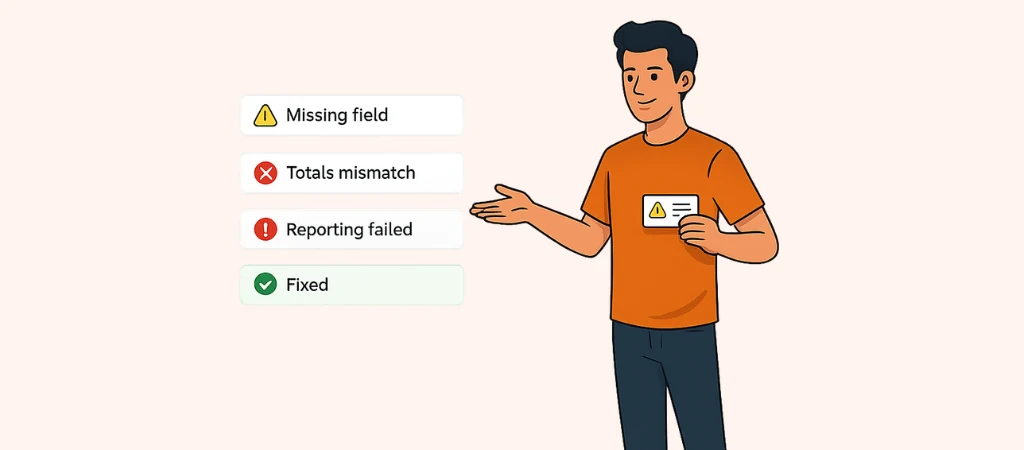
An e-invoice failed validation (UAE) means your e-invoice contained one or multiple technical, data, or business-rule errors that caused the invoice not to pass the UAE e-invoicing checks. But this validation failure doesn’t necessarily mean the transaction itself is wrong. It simply means that something in the invoice data needs to be corrected before the invoice can be sent.
An e-invoice failed validation can be concerning, that’s why this guide explains the most common reasons for failed validation, how to fix the issue, what happens if failed invoices are left unresolved, and how to prevent validation failures.
How to Fix a Failed E-Invoice in the UAE: Step-by-Step Guide
When an e-invoice failed validation (UAE) happens, your first step is to identify the issue. You can then correct the underlying data and resubmit your invoice through your ASP (Accredited Service Provider):
Step 1: Find the validation message
If an error happens, you’ll find it either on your ASP dashboard or ERP e-invoicing log. Check the Message Level Status (MLS) that was returned during the validation process. A negative MLS means that the e-invoice failed validation.
Step 2: Identify what failed
The error could be an issue regarding invoice data, tax calculations, mandatory fields, formatting, or another business rule. To find the exact issue, check your ASP. There will be an error code or message that will inform you of the specific issue.
Step 3: Correct the source data
Now that you know what the problem is, you can resolve it. Get back to your ERP or accounting system to fix the underlying information, rather than changing a copy of the invoice. This helps prevent the same error from happening if this invoice is recurring.
Step 4: Validate it again
Now that the invoice is corrected, get back to your ASP to do another validation check. If there are no more e-invoice failed validation (UAE) issues, you can proceed with transmitting the invoice.
Step 5: Resubmit the e-invoice
Once the invoice passes your internal checks, you can resubmit it through your ASP. The ASP will do the required validation and return the relevant status.
Step 6: Reconcile the records
One last thing: update your invoice status in the ERP or accounting system, and make sure the buyer company received the correct invoice. Sometimes, validation issues appear after the buyer receives your invoice. In that case, check with the buyer and your ASP before issuing a replacement or credit note.
Important note: The UAE e-invoicing system is moving with near-real-time exchange and reporting. An e-invoice failed validation (UAE) can interrupt the normal transaction and reporting flow. If you deal with high invoice volumes, always resolve validation errors on time so the rejected invoices do not accumulate.
E-Invoice Failed Validation in the UAE: Common Causes
A UAE e-invoice fails validation when its data does not meet the required technical or tax standards or the business rules. Here are the most common causes of e-invoice failed validation in the UAE:
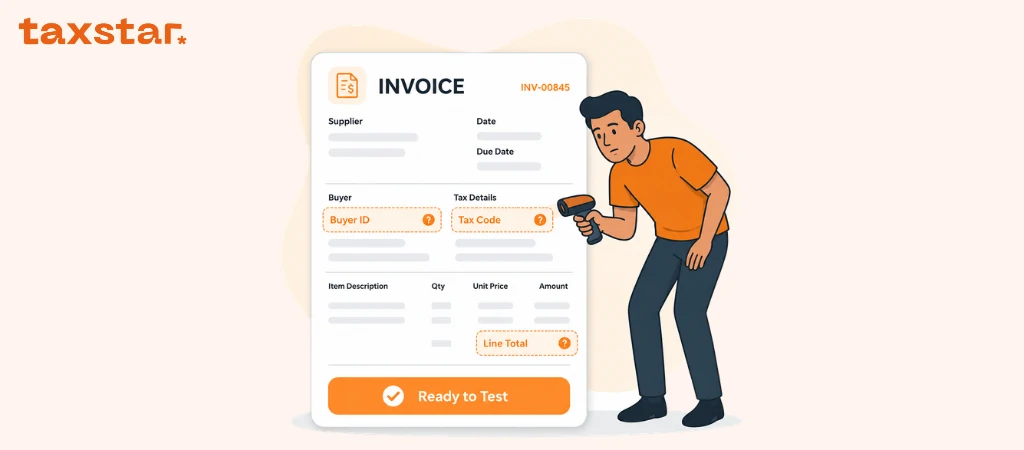
- Missing or mismatched TIN or TRN: If your invoice contains the incorrect Tax Identification Number (TIN) or Tax Registration Number (TRN), or if they are missing from the invoice.
- Incorrect VAT calculation: If the VAT amount does not match the taxable amount, VAT category, or applicable rate.
- Incorrect invoice type: UAE e-invoices use defined document type codes. If you select the wrong code (e.g., using an invoice code for a credit note), your invoice will fail validation.
- Duplicate invoice numbers: If you reuse an invoice number. Invoice numbers should be unique even for recurring transactions.
- Conflicting invoice and tax point dates: If you use incorrect or inconsistent invoice and supply or tax point dates.
- Non-compliant format: If you use PDFs, scanned images, or Word documents as e-invoices instead of the structured e-invoice with XML data based on PINT AE. Sending invoices via email is also not considered an e-invoice and can cause issues.
- Late or incorrect transmission: If there are errors in the data being transmitted, or if you fail to follow the required transmission process.
The exact error message returned by your ASP will help you identify if the problem is a missing field, incorrect value, formatting issue, or business-rule conflict.
What Happens If a Failed Invoice Isn’t Corrected?
If you don’t resolve an e-invoice that failed validation, you cannot process/transmit it until the issue is resolved, but this is just the start of the consequences. You could face delayed payments, tax issues, accounting problems, and even penalties:
- A failed invoice does not have legal standing as a valid tax document. This means that if your invoice fails validation, it cannot be used as a valid invoice until the issue is corrected. You basically cannot use it unless it's validated.
- The buyer’s Input VAT recovery can be affected. If you fail to send a valid tax invoice, your buyer’s ability to support an input VAT recovery claim will be affected.
- Payments and reconciliation can be delayed. When a failed invoice doesn’t reach your buyer's accounting system, payments will be delayed, there will be discrepancies between yours and your buyer’s records, and possibly, more manual work will flood the financial teams.
- Repeated failures can create compliance concerns. If you’re faced with multiple unresolved validation errors, it means that there are issues with your invoice data, system configuration, or e-invoicing processes. This is concerning because your business could come under closer review by the FTA.
- Non-compliance can carry penalties. Based on Cabinet Decision No. 106 of 2025, the UAE e-invoicing framework includes administrative penalties if your invoices fail to comply with the framework. You could be fined AED 100 per e-invoice or e-credit note that is not issued and transmitted within the required timeframe, capped at AED 5,000 per month. These penalties do not mean that every failed invoice results in a fine, but if you leave invoices unresolved, that can cause penalties.
An e-invoice failed validation in the UAE can cause many issues with invoice records, tax reporting, and buyer-supplier records alignment. In order to avoid these complexities, always treat failed invoices as exceptions to be resolved, not as invoices that can remain pending.
How to Check If an E-Invoice Is Valid
There are certain ways to ensure your e-invoices are valid:
- Check the status in your ASP or ERP system
Always check invoice validation and transmission status in your ASP dashboard or accounting system. Bear in mind that if an e-invoice is successfully transmitted, it doesn’t always mean the invoice was also validated. A “sent” status only means your invoice was transmitted from your system.
- Review the Message Level Status
You can also check if your invoice was successfully processed through the Peppol-based exchange. Your ASP dashboard shows MLS status. This is the message returned during the e-invoicing process. When the MLS is negative, it means that the invoice failed validation and needs to be reviewed and corrected.
- Check the mandatory data and TIN
Check your invoice against the UAE’s mandatory e-invoice fields to ensure all the business identifiers are correct. The Participant Identifier should match the business’s FTA records. Participant Identifier is 0235 followed by your 10-digit TIN (the first 10 digits of your TRN).
- Confirm successful delivery to the buyer
Your invoices are validated in two stages, first through your ASP, and then through your buyer’s ASP. Your buyer’s ASP delivers the invoice to the buyer only after successful validation. You can check the invoice status to see whether it has progressed through the exchange process or is remaining at an earlier status.
Important note: Generally, markets rely on a public, consumer-facing QR code or verification app for B2B invoices, but that’s not how verification works in the UAE. Verification and validation processes in the UAE are strictly done through the ASP and connected e-invoicing systems. So, rely on your ASP status to find out if an invoice is valid rather than investing in a public invoice-checking tool.
How to Prevent Future Validation Failures
E-invoice failed validation (UAE) can get stressful, especially when you work with a high transaction volume, so you’d want to do whatever it takes to prevent them. All you have to do is take a few actions before transmitting your e-invoices:
Choose an ASP and ERP combination with pre-submission validation
The ideal e-invoicing setup is one that can identify missing fields, incorrect formats, and other validation issues before the invoice is sent through the network. You can test different ASPs with your ERP during the pilot phase (starting in July 2026) to ensure you have the perfect setup before the mandatory implementation phase.
Automate TIN and TRN checks against master data
To ensure no identifiers are ever going to cause an issue, create a master data source of all supplier and customer tax identifiers and validate them with the FTA’s business information.
Standardize invoice numbering and formats
Create a unified, consistent invoice numbering system for your teams, departments, and accounting systems to prevent duplicate numbers when invoice data is moving between systems.
Align invoice data and tax point data logic
Incorrect or conflicting dates can cause validation errors. To prevent this, configure your ERP system to create consistent rules for all supply dates and tax dates.
Test and reconcile before going live
Run a complete e-invoice process with your ASP before your go-live deadline. Test different invoice types and transaction scenarios, and reconcile the results against your ERP and accounting records. You can do all of these without facing penalties in the pilot phase.
Monitor rejection reports for recurring patterns
We mentioned this a few times because it’s a pattern many businesses are facing. Do not simply treat every failed invoice as a separate problem. Check your rejection records, and if you see a recurring validation failure, find the underlying problem in your data, including missing fields, incorrect tax treatment, or master-data issues. Fixing the problem at the base prevents the same error from affecting hundreds of invoices.
Train finance teams on PINT AE requirements, not just VAT rules
VAT knowledge, although applicable, is not enough for e-invoicing. Your finance team must understand the required PINT AE fields, invoice data structure, identifiers, and validation rules so they can find and fix issues before invoices reach your ASP.
FAQs
What does “failed validation” mean for a UAE e-invoice?
E-invoice failed validation in the UAE means your invoice contained one or more technical or business-rule issues. These issues must be addressed and corrected before you can successfully validate your invoice and send it through the e-invoicing network.
Can a UAE e-invoice be corrected after rejection, or does it need a new invoice?
If an invoice fails validation before transmission, you can fix its issue and resubmit it. If your e-invoice is successfully transmitted and then later on needs correction, you can either issue a corrected invoice or a credit note, depending on the circumstances.
What are the penalties for repeated e-invoice validation failures in the UAE?
According to Cabinet Decision No. 106 of 2025, you may face penalties for specific e-invoicing violations, including failure to implement the system or issue and transmit e-invoices within the required timeframe. A validation failure alone will not cause a penalty. If you have multiple failed invoices that are not addressed within the required timeframe, you can get fined.
Is a PDF invoice ever acceptable under the UAE e-invoicing mandate?
No. PDFs, scanned images, Word documents, and emailed invoices do not meet the required XML format and are not considered e-invoices in the UAE.
How quickly must a failed e-invoice be corrected and resubmitted?
You must issue and transmit the corrected e-invoice within 10 days of the date of business transaction (the earlier of the transaction date or the payment date). Failed invoices must be corrected so they can complete the required e-invoicing process. If not, you will not get paid for the invoice, your and your buyer’s records will not be aligned, you can cause your buyer VAT claim issues, and you can face penalties if the invoice is not corrected within the applicable timeframe.
Who is responsible for validation, the business or the ASP?
Both have roles in the same process. The business should provide accurate invoice data and meet its e-invoicing requirements. The ASP, on the other hand, validates and transmits the invoice through the Peppol network. The buyer’s ASP also performs validation before the invoice is delivered to the buyer.

.webp)
.webp)